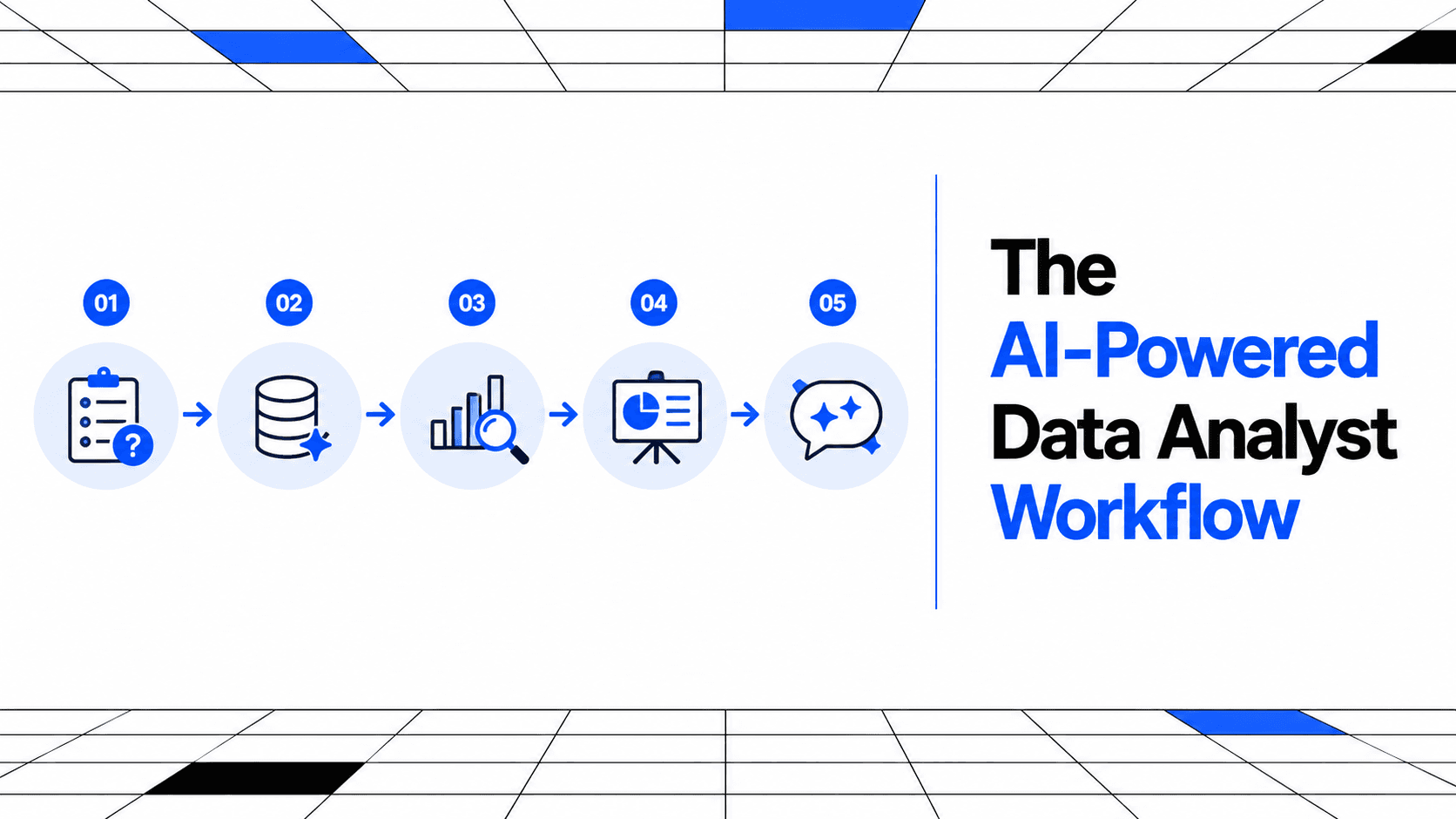
The AI-Powered Data Analyst Workflow
AI genuinely speeds up some stages of analyst work and quietly wrecks others when trusted unsupervised. The workflow that works treats those as different problems.
6 Minutes Read
Data Analytics Program — Data Analytics — Next cohort Starts Oct 24 · 35% Discount
Enroll NowAI genuinely speeds up some stages of analyst work and quietly wrecks others when trusted unsupervised. The workflow that works treats those as different problems.
"AI-powered workflow" gets used to mean two very different things. One version is AI doing the analysis while a person reviews the output at the end. The other is AI embedded at specific points in a process a person still directs, question by question, with judgment still concentrated where it actually matters. The first version fails quietly and often. The second is what this article is actually describing.
The useful question is not whether to use AI in analyst work, most analysts already do, but where in the workflow it genuinely earns its place and where trusting it without a second look becomes a real liability. Those two things are not the same stage, and mixing them up is where most of the real damage happens.
Neha, a business analyst at a subscription meal-kit company in Jaipur, rebuilt her actual weekly workflow around this distinction, and her walkthrough sits at the end of this article. The short version: AI changed how she spends her time more than it changed what she is actually responsible for.
A typical analyst task moves through roughly seven stages, and AI's usefulness is not evenly spread across them.
1. Frame the actual question. This stays almost entirely human. A stakeholder's request usually arrives underspecified, and knowing which ambiguity actually matters, which metric definition to challenge, which follow-up question is worth asking, depends on context AI has no access to. This is the same judgment that separates a junior analyst who answers exactly what was asked from a senior one who works out what should have been asked instead.
2. Explore an unfamiliar dataset. This is genuine leverage. A fast initial profile, flagging obvious anomalies, missing values, and unexpected distributions, is exactly the kind of repetitive first pass AI handles well, and it is worth checking rather than skipping. How to use AI to explore an unknown dataset covers this specific step in more depth.
3. Write and debug SQL or code. Also genuine leverage, particularly for syntax you use occasionally rather than daily. A strong first draft saves real time, provided you read every line before running it against anything that matters. Practising the underlying skill directly, not just prompting for it, is still worth doing; the 15 real-world business SQL problems set is built for exactly that.
4. Clean and validate the data. This is one of the two highest-risk stages. A cleaning suggestion applied at scale without checking it on a sample first can silently change the underlying answer, and the output will still look confident and complete either way. This is the stage where "it ran without an error" gets mistaken for "it did the right thing."
5. Build a first draft visualisation. Genuine leverage again. A reasonable starting layout, chart type, and structure is a fair thing to hand off, provided a human still edits it for the actual audience rather than shipping the default.
6. Interpret statistical significance. The other highest-risk stage, and arguably the more dangerous one, because a plausible-sounding but wrong statistical conclusion reads exactly like a correct one to someone who has not built the underlying judgment themselves.
7. Communicate the finding and decide what it means. AI can draft the summary. It cannot own the claim. Once your name is on the analysis, every number and every conclusion in it is yours to defend, regardless of which parts a tool helped write.
This is not a hypothetical concern. It is one of the better-documented patterns in how people actually use AI tools right now.
The International AI Safety Report 2026, an independent scientific synthesis backed by more than 30 countries and chaired by AI researcher Yoshua Bengio, describes automation bias as the tendency of technology users to overly rely on automated outputs while discounting contradictory information, noting that it undermines competence specifically by discouraging active reasoning and verification. This is not a claim that AI output is usually wrong. It is a claim about what happens to human scrutiny once a tool starts feeling reliable, which is a separate and arguably more dangerous problem.
Notably, the people using these tools most heavily are not becoming less careful about this over time, they are becoming more careful. Stack Overflow's 2025 Developer Survey found that while AI adoption among developers rose sharply, to 84 percent using or planning to use AI tools, trust in the accuracy of AI-generated output fell over the same period, with the share of developers reporting distrust rising from 31 percent to 46 percent year over year. The people closest to using these tools daily are converging on more scrutiny, not less, which is a reasonable signal for how an analyst workflow should be built too.
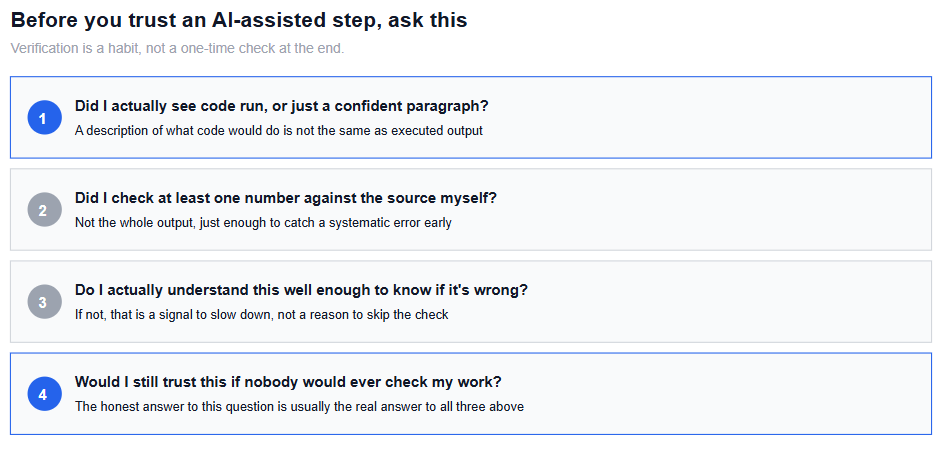
Practically, this means verification cannot be a step you do once at the end of a project. It has to sit inside each stage, particularly the two flagged above as highest-risk, as a habit rather than a final audit.
The realistic shift is in time allocation, not in responsibility. Less time goes into looking up syntax you use rarely or writing boilerplate code from scratch. More time goes into the stages that were always the hardest to automate: framing the actual question well, checking whether an interesting-looking result is real or noise, and writing the explanation that survives someone asking a hard follow-up question.
This lines up with a broader pattern already reshaping the profession. How AI is changing the data analyst role covers this shift at the career level, and the throughline is consistent: the execution-heavy parts of the job compress, and the judgment-heavy parts, framing, validation, and business context, become the part that actually differentiates one analyst from another.
Trusting a confident answer without checking whether code actually ran. A written description of what code would do and genuinely executed output can look identical in a chat window and are not equally trustworthy.
Skipping the fundamentals because AI can write the syntax. This creates a real, specific risk: you lose the ability to tell when the output is wrong, precisely the skill you need most when it matters.
Applying an AI-suggested cleaning step to the full dataset without testing it on a sample. This is where a plausible-sounding fix silently changes an answer nobody thought to double-check.
Not saving or documenting the actual steps that produced a result. A chat transcript is not a reproducible pipeline, and six months later neither you nor anyone else can reconstruct how a number was actually generated.
Letting AI draft statistical conclusions without independently checking the underlying logic. This is the highest-risk stage in the whole workflow, and it is exactly the stage where a wrong answer reads as most confident.
Treating verification as a one-time review at the end of a project. By then, an error introduced early has usually propagated through every stage that followed it.
Neha's weekly task is a regional sales and inventory summary for her company's subscription meal kits, pulled from several source tables that do not always agree cleanly with each other.
She now uses AI heavily at two specific points: an initial profile of any new data source before she works with it directly, and a first draft of the SQL joins across tables that used to take her the longest to get right. Both are stages where she found real, repeatable time savings, and both are stages where she can quickly verify the output is doing what she expects.
She deliberately kept two stages manual. Before applying any suggested fix to inconsistent SKU naming across source tables, she tests it on a small sample and checks the before-and-after counts herself, since a plausible-looking cleanup rule has previously changed her totals without any error message telling her it happened. And she writes the actual interpretation of any week-over-week change herself, using AI only to check her own draft for gaps in reasoning rather than to generate the conclusion in the first place. The report goes out under her name, and she wants to be the one who can defend every line in it if someone in a meeting asks why a number moved.
The net effect, by her own estimate, was real time saved on the mechanical parts of the job and no reduction in the time she spends on the parts that actually carry risk. That is close to the ideal outcome this whole framework is aiming at, not less scrutiny, just scrutiny spent in the right places.
If your actual bottleneck right now is exploring a dataset you do not understand yet, how to use AI to explore an unknown dataset is a closer match to that specific problem than this broader workflow overview.
If the SQL stage is where you personally lose the most time, practising against realistic business problems directly, rather than only prompting for the answer, is what actually builds the judgment this article keeps coming back to. The 15 real-world business SQL problems set is built for that.
And for the statistical interpretation stage specifically, which this article flags as one of the two highest-risk points in the whole workflow, the statistics for data analysts guide covers the judgment layer that makes it possible to catch a wrong conclusion before it goes out under your name.
Quiz
Question 1 of 15
FAQ
FREE COURSES
A hands-on path from Python fundamentals to production-grade automation, built for data analysts. Learn to clean messy files, pull data from databases and APIs, generate automated Excel/PDF/PowerPoint reports, and schedule it all to run unattended - then go further with logging, secrets management, and workflow orchestration. Built around one consistent scenario: automating a retail company's weekly sales reporting. Closes with two full portfolio projects using real data and complete worked solutions. No prior programming experience required.
A complete, hands-on path from zero Git knowledge to running a full analytics workflow on GitHub. You'll learn how to track and undo changes safely, branch and merge without fear, collaborate with teammates through pull requests and code review, and handle the parts generic Git tutorials skip: version-controlling Jupyter notebooks and R projects, managing large data files with Git LFS, and structuring a repository so any analyst can pick it up. The course ends with two full portfolio projects: building a reviewed, documented analysis repository from scratch, and publishing an automated, GitHub Pages-hosted analytics portfolio powered by a scheduled GitHub Actions workflow.
A/B testing is one of the highest-leverage skills a data analyst can have: it's the difference between telling a company what happened and telling them what to do next. This course takes you from the foundations of experimentation through statistics, hypothesis testing, and experiment design, into the core statistical tests analysts use daily, honest result interpretation, and advanced pitfalls like Simpson's Paradox and multiple testing. You'll close with hands-on SQL and Python workflows and two full portfolio projects, so you finish with real work to show, not just notes.